简介
Nginx (engine X)是俄罗斯人编写的一款轻量级的 Web 服务器、反向代理服务器,同时也是一个 IMAP/POP3/SMTP 代理服务器。
Nginx 因为它的稳定性、丰富的模块库、灵活的配置和低系统资源的消耗而闻名。
反向代理
由于防火墙的原因,我们并不能直接访问谷歌,那么我们可以借助VPN来实现,这就是一个简单的正向代理的例子。正向代理“代理”的是客户端,而且客户端是知道目标的,而目标是不知道客户端是通过VPN访问的。
当我们在外网访问百度的时候,其实会进行一个转发,代理到内网去,这就是所谓的反向代理,即反向代理“代理”的是服务器端,而且这一个过程对于客户端而言是透明的。
安装 Nginx
本文系统使用的是阿里云服务器 CentOS 7.4 64位。
1、安装 nginx
1 | yum install -y nginx |
安装完成后输入命令 rpm -ql nginx 显示 nginx 套件的文件列表。
2、启动Nginx,使用默认配置文件启动
1 | nginx |
在浏览器中输入阿里云公网 IP 就可以看到 nginx 启动页面了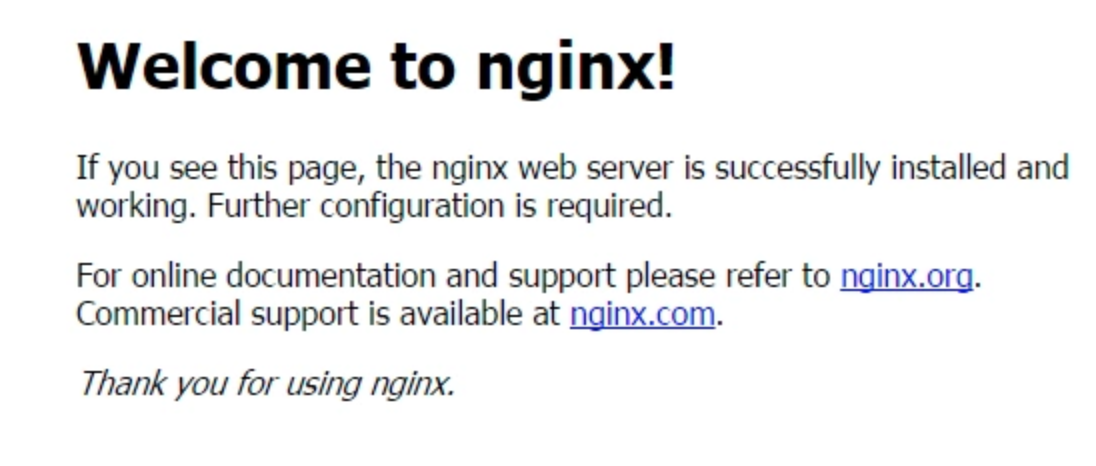
nginx 配置
启动 nginx 使用的是默认配置文件,文件位置 /etc/nginx/conf.d/default.conf .
1 | server { |
检查配置文件
1 | nginx -t |
1 | [user@izbp1d ~]# nginx -t |
配置好文件就可启动 nginx
nginx 相关命令
1 | nginx # 启动 nginx |
其他命令
1 | nginx -v #查看nginx版本号 |
遇到的问题
1、阿里云服务器 ECS 访问不了公网 IP
可能端口没开,需要设置一下端口
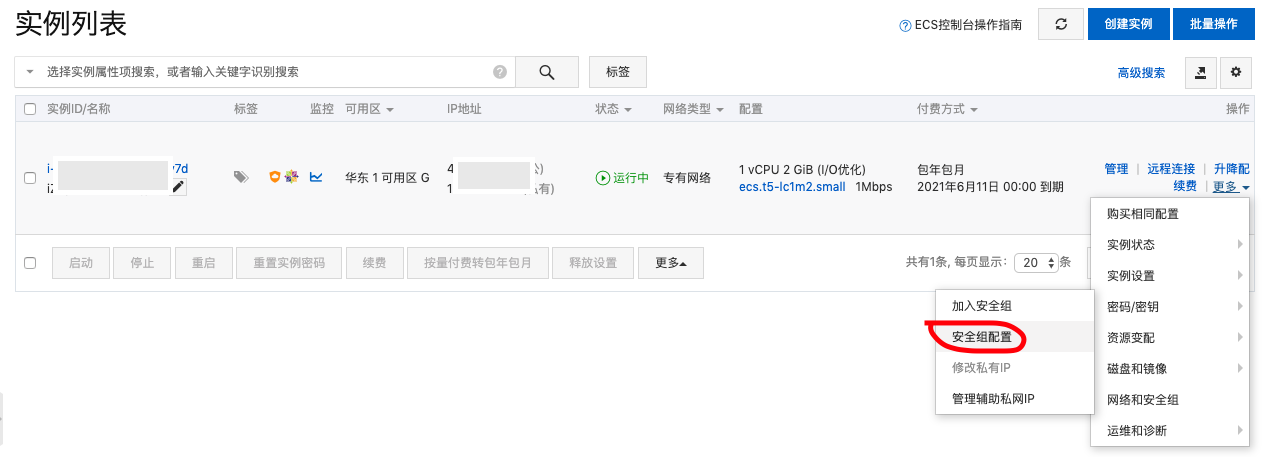
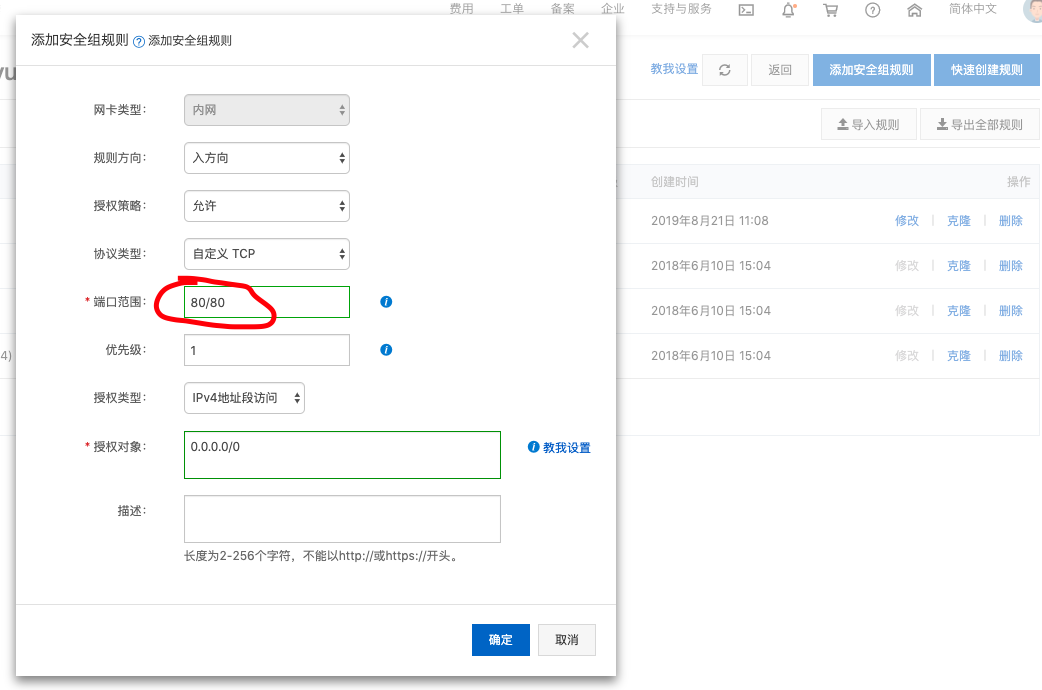
2、启动时端口被占用
1 | nginx: [emerg] bind() to 0.0.0.0:80 failed (98: Address already in use) |
输出命令 netstat -ntpl 查看端口占用情况,kill 对应的线程,重启 nginx.
3、nginx.pid 丢失
1 | #重启nginx时 nginx -s reload 报错 |
关闭nginx时,把其nginx.pid会被删掉
解决方法:输入命令
/usr/sbin/nginx -c /etc/nginx/nginx.conf (对应的nginx.conf的配置文件)
Reference
https://zhuanlan.zhihu.com/p/34943332
https://blog.csdn.net/zhaoyanjun6/article/details/79155049
https://www.runoob.com/w3cnote/nginx-setup-intro.html